Go back
Sep 4, 2026
PodClip vs NotebookLM (Gemini Notebook) for YouTube
Google NotebookLM, now called Gemini Notebook, is a good tool. You add sources, ask questions, and it answers using only what you gave it. PodClip does one thing: it turns YouTube videos and podcasts into summaries you can read, chat with and keep.
So which one should you use for YouTube? We build PodClip, so we are not neutral. But we use both, and we will tell you where NotebookLM is the better pick too.
What each tool is built for
NotebookLM is a research notebook. You create a notebook, add PDFs, documents, web pages and YouTube links, then ask questions across all of them. It shines when you have a pile of sources and want to write something from them.
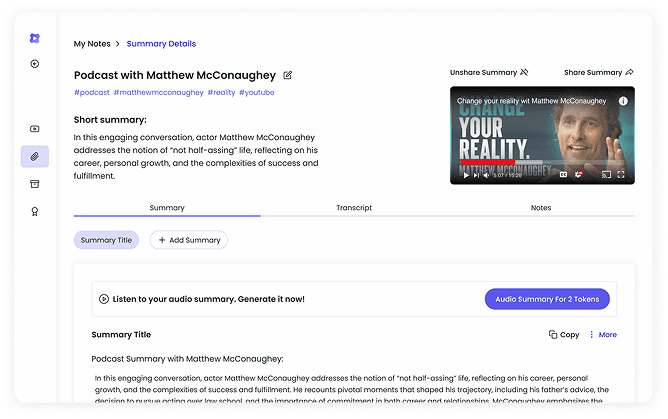
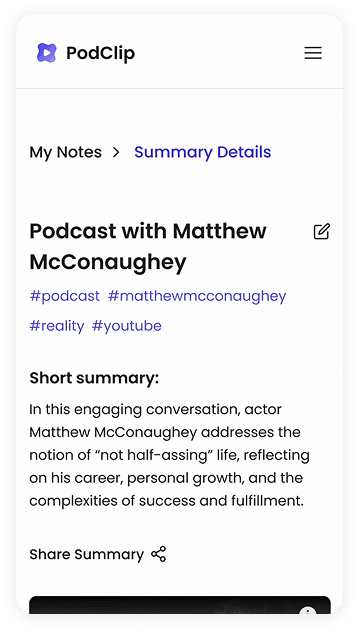
PodClip is built around one question: is this video worth my time? Paste a link, or open the video on YouTube, read the summary, and decide. Then chat with it, take notes, or grab the transcript if you want more.
The quick comparison
- Works on YouTube itself. PodClip has a Chrome extension that shows the summary, transcript and chat right next to the video. With NotebookLM you send the video to a notebook and read it there.
- Follows channels for you. Subscribe to a channel in PodClip and you get a summary of every new video by email. NotebookLM has nothing like it. You add each video yourself.
- Time to first summary. PodClip: paste a link, done. NotebookLM: create a notebook, add a source, wait for it to process, then ask.
- Chat with the video. Both do it. PodClip answers with timestamps and suggests follow-up questions so you know what to ask next.
- Transcript. PodClip gives you a clean, timestamped transcript you can copy, translate or download. NotebookLM reads the transcript to answer you, but it is not built as a transcript tool.
- Languages. PodClip writes the summary in your language, 48+ of them, no matter what language the video is in.
- Many sources at once. NotebookLM wins. If you need answers across ten documents and three videos, use it.
- Audio overviews. NotebookLM can turn your sources into a podcast-style conversation. PodClip goes the other way: it turns podcasts into text you can skim.
Where PodClip is the better choice
You want the summary on YouTube, not somewhere else. With the PodClip Chrome extension the panel is already open when the video loads. No new tab, no copy and paste, no notebook to set up. Read the highlights, click a timestamp, and the video jumps there.
You follow channels and cannot keep up. This is the part NotebookLM does not do at all. With channel summaries PodClip watches the channels you pick and emails you a summary of every new video. You skim the email and open only what matters.
Work you skip: videos you never have to add by hand
Per month, if each channel posts 2 videos a week over 4 weeks. Grey is work you do. Violet is work PodClip does for you.
Every grey bar is time you spend copying links into a notebook. Every violet bar is zero, because PodClip watches the channels and sends you the summary.
Work you skip: videos you never have to add by hand
Per month, if each channel posts 2 videos a week over 4 weeks. Grey is work you do. Violet is work PodClip does for you.
Every grey bar is time you spend copying links into a notebook. Every violet bar is zero, because PodClip watches the channels and sends you the summary.
You want simple. NotebookLM is a workspace with notebooks, sources, notes and studio tools. That is great for a project. For a single video it is a lot of clicks. PodClip is one box: paste a link, get a summary. Most people never need anything else.
You mostly watch podcasts and long interviews. PodClip was made for them. Summaries come with timestamps, highlights and key insights, so a two-hour episode turns into something you can read with your coffee.
Where NotebookLM is the better choice
 You are writing a paper, a report or a script and need answers pulled from many documents at once.
- Your sources are mostly PDFs, slides and web pages, not videos.
- You want an audio overview to listen to instead of text to read.
If that is your day, NotebookLM is the right tool, and we are happy to say so.
Can you use both?
Yes, and many people do. PodClip for finding out which videos are worth your time and for following channels. NotebookLM for the deep research project where those videos are just one of many sources. They do not fight each other.
The short version
- Summarizing YouTube videos and podcasts, fast and on YouTube itself: PodClip.
- Keeping up with channels without watching everything: PodClip.
- Research across a big pile of mixed sources: NotebookLM.